 Ayesha Khan
Worried about what happens if your order goes wrong on TikTok Shop?
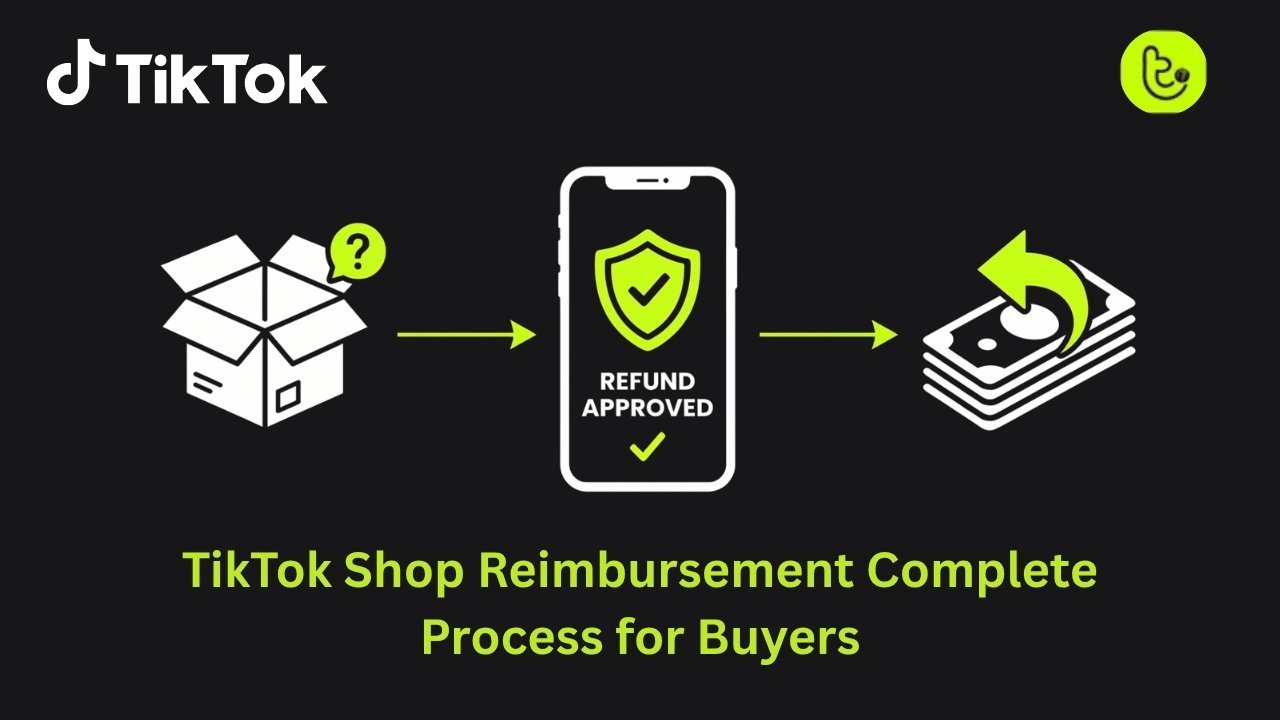
The TikTok Shop refund policy is designed to protect you when an item arrives damaged, incorrect, or not as described. As more buyers turn to social commerce, understanding how refunds and returns work is essential before you place your order.
In this guide, you will learn how the TikTok Shop refund policy works, what the 90 day limited coverage includes, how return windows are structured, and the exact steps you need to follow to request a refund successfully.
How TikTok Shop Buyer Protection Works
When you shop through short videos and live streams, you are often making quick purchase decisions. That is why the TikTok Shop refund policy is built on a strong buyer protection system.
The platform uses a multi layer protection structure to reduce the risks that come with online shopping. From the moment you place an order until 90 days after delivery, your purchase is covered against fraud, damaged items, missing packages, and shipping failures.
This protection framework creates a safety net. It allows you to shop confidently, even when buying from new sellers or viral product listings.
Before understanding why this matters long term, let’s look at how social commerce growth increases the importance of refund and reimbursement systems.
Social Commerce Growth and Why Refund Protection Matters
Social commerce is expanding rapidly, and TikTok Shop plays a major role in that shift. As more buyers move from traditional e-commerce websites to social platforms, refund systems become essential for maintaining trust.
You are not just browsing products. You are engaging with content, creators, and live sellers. That interactive environment increases impulse purchases, which makes clear refund policies even more important.
Here is a snapshot of current platform and market data that explains why strong buyer protection systems are critical.
TikTok Shop Market Performance and Consumer Spending Data
The table below highlights platform growth indicators and consumer behavior trends shaping the need for structured refund policies.
| Performance Indicator | Global Platform Impact |
|---|---|
| Global Seller Count | ~15 Million |
| Annual GMV Growth | 201% |
| Average Individual Spending | $708 Annually |
| U.S. Small Businesses On-Platform | 171,000 |
| Social Commerce Share of E-commerce | ~18.2% and Rising |
These numbers show strong marketplace expansion. With millions of sellers and rising consumer spending, a clear reimbursement system is necessary to protect both buyers and sellers.
How High Conversion Rates Increase the Need for Clear Refund Processes
TikTok Shop conversion rates range between 8 to 12 percent. This is significantly higher than many traditional e-commerce platforms.
Higher conversion rates mean more transactions. More transactions mean greater potential for delivery issues, damaged goods, or product mismatches.
That is where the TikTok Shop refund policy plays a central role.
Integrated checkout systems reduce buying friction. You can complete a purchase within seconds while watching a video. However, fast buying must be supported by strong post sale protection.
The reimbursement process balances convenience with accountability. It ensures that if something goes wrong, you have a structured path to resolve it.
TikTok Shop Refund Policy: The 30 Day Return Window Explained
If you want a refund on TikTok Shop, the first thing you need to check is the return window.
Under the standard TikTok Shop refund policy, most products come with a 30 day return window starting from the date your order is delivered. This gives you time to inspect the item, test its functionality, and confirm it matches the product description.
This 30 day timeframe aligns with common e-commerce standards. It gives you enough time to make a fair decision without delaying the process unnecessarily.
However, not every product follows the same timeline. Let’s look at how return windows vary by category.
Return Window by Product Category on TikTok Shop
The return period depends on the type of product you purchase. Sellers must clearly display their return policy on the product page before you complete checkout.
The table below shows how return timelines differ across categories.
TikTok Shop Return Window by Category
| Product Category | Standard Return Window |
|---|---|
| General Fashion & Apparel | 30 Days |
| Electronics & Tech Accessories | 7–15 Days |
| Household Items | 30 Days |
| Hygiene-Sensitive Goods | Non-Returnable |
| Perishable & Custom Items | Non-Returnable |
This structure helps you understand your rights before you buy. Electronics often have shorter return windows due to usage risks, while hygiene sensitive and custom items are usually non-returnable for safety and personalization reasons.
Always review the product specific return policy before placing your order.
Now that you understand the timeline, the next step is knowing what makes an item eligible for a refund.
Conditions for Refund Eligibility Under the TikTok Shop Return Policy
Even if you request a return within the 30 day window, your item must meet certain eligibility conditions.
To qualify for a refund on TikTok Shop:
- The product must be in its original condition
- All tags, packaging, and included accessories must be intact
- Clothing items must be unworn and unwashed
- The item must not show damage beyond basic inspection
Sellers can reject return requests if the product shows signs of excessive use. This rule protects sellers from misuse while still giving you a fair opportunity to evaluate your purchase.
If your item meets these conditions, you can move forward with a return request through your order dashboard.
TikTok Shop 90 Day Money Back Guarantee: Extra Buyer Protection
Beyond the standard 30 day return window, TikTok Shop offers a 90 day limited refund coverage to give you extra confidence when shopping. This extended protection, previously called the Buyer Protection Program, acts as a safety net for issues that may not appear immediately after delivery.
With this guarantee, you can shop knowing that significant problems with your order can be addressed long after the standard return window has closed.
What the 90 Day Guarantee Covers
The 90 day coverage focuses on serious issues rather than simple changes of mind. To be eligible, the purchase must have been made using a valid on-platform payment method.
Coverage applies in the following situations:
- Damaged or defective goods: Items that arrive broken or do not function as intended
- Inaccurate descriptions: Products that look or perform differently from their listing images or text
- Logistics failures: Orders marked as delivered but never received
This ensures that major problems are handled fairly and transparently, keeping your shopping experience safe and reliable.
Items Excluded from the 90 Day Guarantee
Not all products qualify for this extended protection. Certain goods are excluded to prevent abuse or because of market risks.
TikTok Shop 90 Day Guarantee: Excluded Categories
| Ineligible Category | Reason for Exclusion |
|---|---|
| Pre-owned Luxury Goods | High risk of condition disputes |
| Collectibles & Trading Cards | Market price fluctuations |
| Final Sale Items | Explicitly marked at purchase |
| Consumables | Hygiene and shelf-life concerns |
These exclusions are clearly indicated on product pages so you can make informed decisions before buying. Understanding what qualifies under this policy helps you take full advantage of the extended buyer protection.
How to Request a Refund on TikTok Shop: Step by Step
Getting a refund on TikTok Shop is designed to be simple and fully handled within the app. You don’t need to contact external customer service, everything can be done on your mobile device.
Here’s how the process works from start to finish.
Step 1: Find Your Order
Start by opening your TikTok Shop account and going to Order History. Find the item you want to return.
If the order is still within the eligible return period, the “Return” or “Refund” button will be active. Tap it to begin your request.
Step 2: Choose the Reason for Return
TikTok Shop uses a standardized list of reason codes to categorize returns. The reason you select affects who pays for return shipping:
- Seller Fault: If the item is “damaged,” “defective,” or “incorrect,” the seller or TikTok Shop usually provides a prepaid return label.
- Buyer Choice: If the reason is “no longer needed” or “wrong size,” the shipping cost may be deducted from your final refund.
Selecting the correct reason ensures your refund is processed accurately and prevents delays.
Step 3: Submit Your Request and Wait for Seller Response
After submitting the request, the seller enters a mandatory review period. Sellers must respond within 48 hours or two business days.
During this time, the seller can:
- Approve the return and provide instructions
- Ask for additional evidence, such as photos of the item
- Offer a partial refund as a compromise
Once the seller approves the request, you can ship the item back if required, and your refund will be processed according to TikTok Shop’s policies. This step-by-step approach keeps the process transparent and ensures you know exactly what to expect.
How to Provide Evidence for TikTok Shop Refunds
Getting your refund approved often depends on the quality of the evidence you provide. TikTok Shop relies heavily on visual proof to resolve disputes fairly, so documenting your order carefully is essential.
By following a clear documentation process, you can make your case stronger and speed up reimbursement.
Key Types of Visual Evidence
High-resolution photos and videos are the most effective way to support your refund request. When preparing your evidence, include the following:
- Shipping label: Ensure the tracking number is clearly visible
- Packaging: Capture all six sides of the box to show any transit damage
- Product condition: Take close-up shots of defects, missing parts, or damage
- Comparison images: Place the received item next to the original listing images if it differs from the description
These steps create a complete record that TikTok Shop can easily review.
Using Unboxing Videos for Stronger Proof
Unboxing videos are becoming a powerful tool for buyers. Recording the moment you open your package provides continuous, unedited proof of the item’s condition.
This helps avoid disputes where sellers claim the item was damaged after delivery. A short, clear video can make your refund claim much more convincing.
Recommended Evidence Checklist
| Evidence Type | Purpose in Refund Process |
|---|---|
| Packing Video | Confirms the seller sent the correct item |
| Unboxing Video | Shows the item’s condition at delivery, including damage |
| Product Photos | Highlights specific defects or missing parts |
| Weight Receipt | Proves components or accessories are missing |
Following these documentation standards increases your chances of a smooth refund and reduces delays.
Advanced TikTok Shop Refunds: How Returnless and Fast Refunds Work
TikTok Shop has introduced advanced refund mechanisms to speed up reimbursement and make the process more convenient for buyers. These systems rely on logistics tracking and platform data to issue refunds quickly, even before the item physically returns to the seller in some cases.
Advanced Refunds: Refund After First Scan
For eligible orders, the Advanced Refund system triggers your refund as soon as the logistics carrier scans the return package at the drop-off point.
- This option only applies when the buyer is not at fault.
- Items valued at $100 or more usually require the seller to receive and inspect the goods before a refund is issued.
This approach ensures that high-value items are protected while speeding up reimbursement for eligible returns.
Returnless Refunds for Low-Value Items
For items priced under $10, returning the product can cost more than the item itself. In these cases, TikTok Shop may issue a Returnless Refund, allowing you to:
- Keep the item
- Donate it
- Dispose of it responsibly
This process reduces shipping costs, saves time, and minimizes environmental impact.
Automated Logistics Refunds
If your package is lost or damaged during shipping, the platform can automatically trigger a refund. The seller is reimbursed for inventory loss, and you are not penalized for carrier-level issues.
This system prevents unnecessary delays and ensures that shipping errors do not affect your shopping experience.
Dispute Resolution: What Happens if a Seller Rejects Your Return
If a seller rejects your return request, you can escalate the case to TikTok Shop’s After-Sale Dispute system, where the platform acts as an impartial adjudicator.
How Escalation Works
- You can file a dispute within 7 to 10 days after the seller’s rejection
- The seller has a 24-hour window to provide counter-evidence
- If the seller fails to respond, the platform usually rules in your favor
Possible Adjudication Outcomes
| Adjudication Decision | Outcome for Buyer |
|---|---|
| Ruled in Favor of Buyer | Immediate full refund issued |
| Ruled in Favor of Seller | No refund; case closed |
| Partial Refund Ordered | Percentage of funds returned |
| Replacement Ordered | New item sent at seller’s cost |
You can escalate a maximum of two disputes per product listing, which prevents repeated arguments while still giving buyers multiple chances to resolve issues.
Refund Timelines and Payment Methods
The speed at which funds return to your account depends on your original payment method. TikTok Shop processes approvals immediately, but banks and payment providers vary in processing time.
Typical Refund Timelines
| Payment Method | Refund Timeline |
|---|---|
| TikTok Shop Balance | Minutes after approval |
| Credit Card | 3–5 business days |
| Debit Card / Bank Account | 5–10 business days |
| Apple Pay / Google Pay | 3–5 business days |
| Platform Credits/Coupons | Instant |
Understanding Authorization Holds
Sometimes you may notice a temporary authorization hold on your bank account after placing an order. This is not a completed charge. If the order is canceled before shipping, the hold usually disappears within 3–5 business days.
Supporting Tools Behind TikTok Shop Refunds
The speed and reliability of refunds on TikTok Shop depend on the tools and management systems used by sellers. Professional sellers leverage specialized software and services to maintain fast response times, accurate inventory, and smooth communication. This directly benefits you by making return requests and reimbursements seamless.
Tiksly: Helping Sellers Stay Efficient

Tiksly is a management platform designed to keep sellers in top shape. Sellers using TikTok Shop Virtual Assistants for daily shop management and customer support can respond to refund requests within the 48-hour window, ensuring a smooth reimbursement process for buyers.
Key benefits include:
- Virtual assistants for daily shop management and customer support
- Violation removal and compliance guidance
- Maintaining the shop in “good health,” ensuring the seller can process refunds promptly
For buyers, this means a higher chance of fast and fair reimbursement without needing platform intervention.
Third-Party Integration Tools for Smooth Refunds
Professional sellers often use 3PL fulfillment services for the full reimbursement lifecycle. These integrations reduce errors, prevent delays, and improve your shopping experience.
Examples include:
- Customer Support Systems: Platforms like Zendesk or Gorgias consolidate all buyer messages into one dashboard, reducing the risk of missed refund requests
- Inventory Management: Shopify and WooCommerce connectors ensure stock levels are accurate, preventing frustrating “Out of Stock” cancellations
- Profit Analytics: Tools like EchoTik help sellers track return rates and remove low-quality products, protecting future buyers
By keeping operations efficient, these tools help sellers provide consistent and reliable refunds.
Final Thoughts
As social commerce grows, refund automation is becoming increasingly important. Buyers who experience smooth, fair returns are more likely to become repeat customers. TikTok Shop is expanding AI-driven features, such as:
- Chatbots for initial dispute triage
- Advanced Refund logic for faster processing
- Data-driven monitoring of return rates to improve shop quality
With social commerce forecasted to reach 24% of all social transactions, transparency and efficiency in refund policies are a key differentiator for platforms. For you, the safest shopping experience comes from understanding the 30-day return window, the 90-day Money-Back Guarantee, and providing high-quality documentation when needed.
Ready to Streamline Your TikTok Shop Refunds?
Get personalized guidance on managing returns, buyer protection, and shop efficiency with a 1:1 consultation with Tiksly experts. Learn how to handle refunds faster, maintain shop health, and keep your buyers happy.
Book your session today and take control of your TikTok Shop operations.
FAQs
1. When can I cancel my order?
Cancellations are only allowed before the order is marked as “Shipped.” Once the item is in transit, you must wait for delivery and initiate a return through your order history.
2. Who pays for return shipping?
If the return is due to a seller error (wrong item, damaged, defective), the seller provides a prepaid label. If it’s a buyer choice return (changed mind, wrong size), you typically cover shipping costs.
3. What if the seller doesn’t respond?
If a seller fails to review your return request within 48 hours (2 business days), TikTok Shop automatically approves it on your behalf.
4. Can I get a refund if my package is lost?
Yes. If the carrier confirms the package was lost or damaged during shipping, the platform will cancel the order and issue a full refund.
5. What if I received a counterfeit product?
You have up to 90 days to report counterfeit items under the Money-Back Guarantee. If the platform confirms the product is fake, a refund is usually issued without returning the item.
6. How do I track my refund?
Check your refund status in “My Account” or “Order History”. Once approved, it will show as Refunded, and you’ll receive a notification via your registered contact method.