 Ayesha Khan
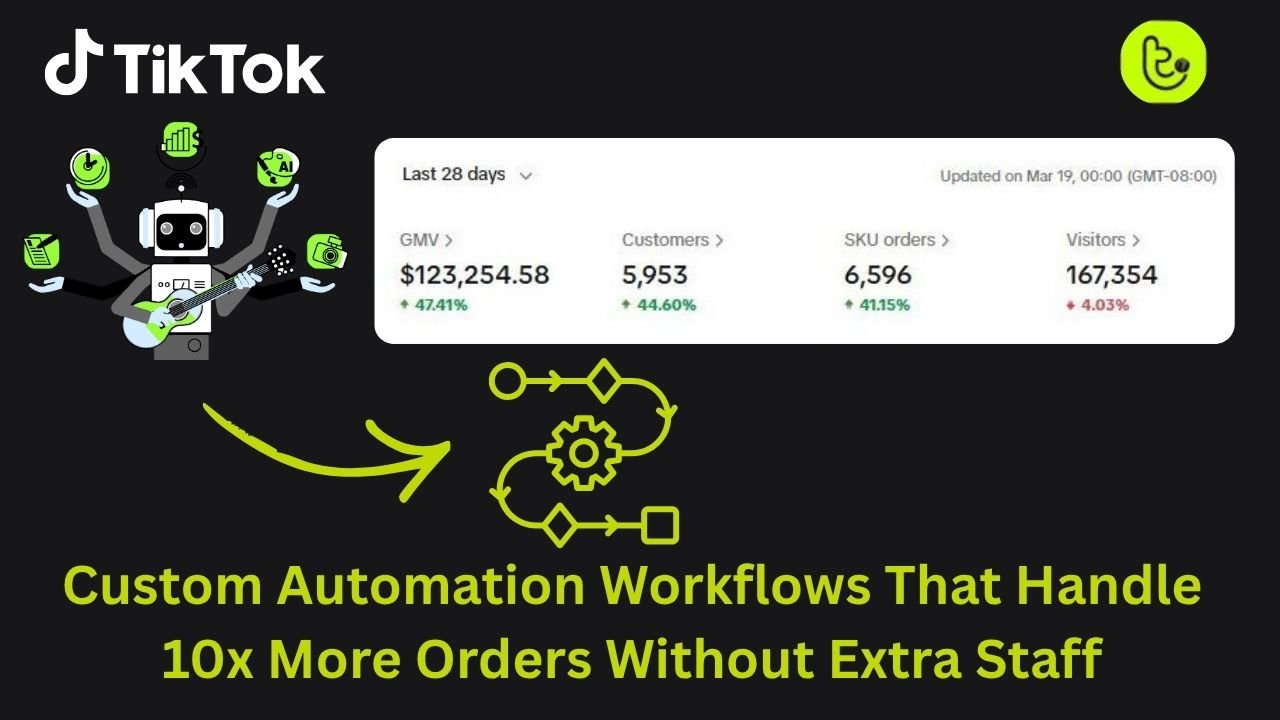
One TikTok video can change everything. In a matter of hours, a product can go from a few daily orders to hundreds. While that kind of growth is exciting, it can quickly overwhelm sellers who rely on manual order handling.
TikTok Shop does not give teams time to adjust. Sudden order spikes lead to rushed processing, shipping delays, and avoidable mistakes. When these issues add up, sellers risk violations, cancellations, and even store closures.
Custom automation workflows solve this problem by removing manual work from order processing. With the right setup, sellers can handle major sales surges smoothly without hiring extra staff.
This guide breaks down how custom automation works and how it helps TikTok shops scale with confidence. First, let’s learn how manual processes can slow your growth.
Why Manual Processes Slow Your Growth
In many businesses, people act as the link between different systems. You check orders on TikTok, copy the details into a shipping tool, then update inventory on your website. This works when you have only a few orders a day.
But people have limits. You get tired, you need breaks, and there is only so much work you can do in a day. As order volume increases, these limits quickly show up.
When your business relies on manual work, your costs rise at the same pace as your sales. If orders increase ten times, you often feel pressure to hire ten more people. Hiring and training takes time and money, and by the time new staff are ready, the sales spike may already be gone.
Automation removes this problem. It lets you handle more orders without increasing labor costs, so your growth is no longer tied to how many people you hire.
How Automation Helps You Scale Faster
You can consider automation as a system built to handle volume. Once it is set up, it can process a few orders or thousands without slowing down. It does not need breaks, and it works the same way every time.
With the right automation in place, you can keep your team small and focused. Instead of copying data and fixing errors, you can spend your time creating better content, improving your offers, and finding new products to sell.
Creating a Smooth Order Experience for Your Customers
The goal of automation is to create a smooth flow for every order. From the moment someone clicks buy to the moment their package arrives, each step follows a clear process.
When your systems work together automatically, orders move faster, mistakes drop, and your customers get a better experience. This approach goes far beyond basic app tools and gives you a setup that can handle real growth without stress.
Using TikTok Shop Automation & Integration lets sellers handle order surges without adding extra staff, keeping your workflow smooth even during viral sales.
What a Custom Automation Workflow Really Means
To scale your business, you first need to understand what a workflow is. In simple terms, a workflow is a set of steps that run automatically. Instead of you deciding what happens next, the system follows instructions you have already defined.
A custom automation workflow is built specifically for your business. It reflects how you sell, ship, and manage orders, rather than forcing you to work around generic rules.
Many apps offer basic automation, like syncing TikTok orders with Shopify. These tools are helpful at the start, but they come with limits. When something unexpected happens, such as a missing address or pricing issue, the automation often stops and waits for you to fix it.
Custom workflows are different. They are designed to handle these situations automatically, so orders keep moving without your constant attention.
The Key Parts of an Automation Workflow
Every automation workflow is made up of a few simple parts. Once you understand them, the whole system becomes easier to picture.
- Trigger
This is what starts the process. For most TikTok sellers, the trigger is a paid order. - Checks
The system reviews the order details. It looks at the address, items, price, and other important data. - Rules
These are the decisions your system follows. For example, if a package is over a certain weight, it uses a specific shipping method. - Actions
These are the tasks performed automatically. This can include creating shipping labels, updating inventory, or sending confirmation emails. - Data Movement
Order information moves between TikTok, your store, and your warehouse. This keeps everything accurate and up to date across all systems.
Why Custom Automation Works Better for Your Business
Basic automation tools are designed to work for everyone, which means they rarely fit your business perfectly. As you grow, your needs become more specific. You might ship from multiple warehouses or include a free gift for higher value orders.
Custom workflows give you full control. You decide how orders are handled, how errors are managed, and how different products move through your system. This allows your small team to operate with the speed and accuracy of a much larger company.
Most importantly, custom automation removes stress. You do not have to wonder if something was missed or done incorrectly, because the system follows your rules every time.
Basic Automation vs Custom Workflows
| Feature | Basic Automation | Custom Workflow |
|---|---|---|
| Setup | One click and very simple | Requires planning and logic |
| Flexibility | Very limited | Fully customizable |
| Error Handling | Stops and needs manual fixes | Can resolve or skip issues automatically |
| Scalability | Struggles with large order spikes | Built to handle high volume |
| Cost | Often free or low cost | Requires a platform subscription |
What Happens After a TikTok Customer Places an Order
When someone finds your product on TikTok and clicks Buy, a chain reaction starts immediately. In a manual setup, this is where the rush begins. In an automated setup, your system takes over.
Here is how an order moves through a fully automated TikTok Shop workflow.
Step 1: Order Details Are Captured Instantly
The moment a customer completes payment, TikTok Shop sends a digital message with all order details. This includes the customer’s name, shipping address, product, and price.
Your automation system listens for these messages and captures them right away. You do not need to log in or download anything. Even if you receive hundreds of orders in a few minutes, every order is recorded accurately with no delays.
Step 2: Orders Are Checked Before Shipping
Before an order reaches your warehouse, the system runs several safety checks to prevent problems.
- Payment status check
The system confirms the order is paid and ready to ship. - Address validation
Shipping delays often come from incomplete addresses. If an apartment number is missing, the system can pause the order and request the correct details from the customer. - Fraud screening
The system scans for warning signs, such as mismatched billing details or orders from restricted locations. Suspicious orders are flagged for review instead of being shipped automatically.
Step 3: Inventory Updates in Real Time
Going viral can quickly lead to overselling. If more orders come in than you have stock, cancellations follow and TikTok may penalize your store.
Automation prevents this by updating inventory the second an order is placed. Stock levels are synced across TikTok, your website, and your warehouse. Many sellers also use a small inventory buffer to protect against short sync delays and avoid selling out accidentally.
Step 4: Orders Are Sent to the Best Warehouse
If you store products in more than one location, automation chooses the best warehouse for each order.
The system checks the customer’s location, available stock, and your shipping rules. It then selects the closest warehouse and the most cost effective shipping option. This helps you deliver faster while protecting your margins.
Step 5: Customers Receive Automatic Shipping Updates
Once the shipping label is created and the package is picked up, a tracking number is generated.
Instead of copying and pasting this information, your system sends the tracking number directly back to TikTok. The order is marked as shipped, and your customer receives their tracking link automatically. Your team does not need to touch a thing.
Comparison: Manual Orders vs Automated Orders
| Order Stage | Manual Process | Automated Process | Result |
|---|---|---|---|
| Order arrival | Logging in and downloading orders | Instant data capture | Saves hours of admin work |
| Order checks | Reviewing orders one by one | Automatic address and risk checks | Fewer shipping errors |
| Inventory | Manual stock updates | Real time inventory sync | Prevents overselling |
| Shipping | Choosing carriers manually | Rule based carrier selection | Faster delivery, lower costs |
| Tracking | Copying tracking numbers | Automatic sync to TikTok | Meets TikTok shipping rules |
How Custom Workflows Handle 10x More Orders Without Hiring
You might wonder how a system can manage ten times more orders without adding staff. The reason is simple. People work one task at a time. Computers handle many tasks at the same time.
If one TikTok video goes viral and brings in five hundred orders in an hour, a person spending two minutes per order would need more than half a day to keep up. An automated system processes those same orders in seconds by following rules you already set.
Processing Hundreds of Orders at the Same Time
Custom workflows use concurrent processing, which means your system handles large batches of orders at once. Address checks, inventory updates, and shipping rules all run in parallel.
Whether you receive ten orders or ten thousand, the system completes the work in nearly the same amount of time. This lets you scale without hiring temporary help for flash sales or busy seasons.
You keep your team focused on content and growth while automation handles the repetitive work. That keeps costs low and margins strong.
How Automation Handles Problems Without Stopping Everything
One common concern is that automation could make a large mistake at scale. Custom workflows are built to prevent this by using exception logic.
Instead of forcing every order through, the system looks for issues. If one order has a bad zip code or missing details, only that order is paused. It is placed in a review queue for you to check later. All other orders continue moving forward.
This means a small problem never slows down your entire operation.
What a Viral TikTok Spike Looks Like in Real Life
Imagine a creator features your skincare product and orders start pouring in within minutes.
In a manual setup
Your team rushes to print labels and process orders. Mistakes start to happen as people get tired. Some orders ship to the wrong address. Inventory runs out, but TikTok keeps accepting orders. You are forced to cancel dozens of sales, which hurts your store rating.
In an automated setup
Your system captures every order instantly and updates inventory in real time. When stock runs out, the product is automatically hidden so no extra orders come in. Every address is checked, and the warehouse receives a clean, accurate pick list.
You log in the next morning and see hundreds of orders already processed and ready for pickup.
The Technical Side of Automation Made Simple
You do not need technical skills to understand how automation works. Think of it like a fast sorting station. Every order detail arrives and is sent to the right place automatically, without manual effort.
Your system simply receives information, checks it, and passes it along based on clear rules.
How TikTok Sends Order Data to Your System
TikTok connects with your automation tools in two main ways. One is slower and one is built for scale.
API polling
This method works like checking your mailbox. Your system asks TikTok every few minutes if there are new orders. It works for low volume but can fall behind during sudden spikes.
Webhooks
This method works like a text alert. TikTok sends order data the instant a sale happens. This keeps your systems in sync in real time and is the preferred option when you want to scale without delays.
The Built In Checklist That Keeps Orders Clean
Automation follows a simple checklist before an order moves forward.
- Is the payment confirmed?
- Is the address complete and valid?
- Is the item available in stock?
- Which warehouse can ship it fastest?
Only orders that pass every check move to fulfillment. This prevents problems before a package is ever shipped and removes the need for last minute fixes.
How Your System Keeps Customer Data Secure
When data moves between platforms, security matters. Custom workflows use encrypted connections to protect customer details. They also rely on secure access keys to confirm data is coming from a trusted source.
This protects your store from fake orders and keeps your customers’ information safe.
Common Automation Terms Explained
| Tech Term | Simple Meaning | Why It Helps You Scale |
|---|---|---|
| API | Asking for updates | Works for low volume checks |
| Webhook | Instant notification | Handles viral order spikes |
| Payload | Order details | Includes everything needed to ship |
| Endpoint | Where data is sent | Starts the fulfillment process |
| JSON | Data format | How TikTok sends order info |
Tools Used in TikTok Order Automation and What They Do
Building your automation setup is like building a toolbox. Each tool has a clear role, and when they work together smoothly, your orders move without friction. Here are the key tools successful TikTok sellers rely on.
TikTok Shop Seller Center
This is where your store begins. You list products, manage orders, and control basic settings here. For automation, this is where you connect other tools using API settings. Think of it as the starting point that sends order data into your system.
Order Management Systems (OMS)
An order management system acts as your control center. Tools like Linnworks or ChannelAdvisor collect orders from TikTok, your website, and other marketplaces in one place.
Instead of logging into multiple platforms, you see everything in a single dashboard. This saves time and reduces missed orders.
Inventory Management Tools
Inventory tools keep your stock levels accurate. Platforms like Zoho Inventory or built in OMS tools sync inventory across all your sales channels.
Their main job is simple but critical. They stop you from selling products you do not have and help you avoid cancellations and penalties.
Shipping and Fulfillment Software
Shipping software handles label creation and carrier selection. Tools like ShipStation or 4Seller compare shipping options and choose the best rate for each package.
These tools connect directly with carriers and generate labels your team or warehouse uses to ship orders quickly.
Automation Platforms
Automation platforms are the glue that connects everything. Tools like Zapier or Make allow you to build workflows without technical skills.
You can set rules such as sending a TikTok order to your shipping software after the address is verified. This removes manual steps and keeps orders moving automatically.
Third Party Logistics (3PL) Partners
A 3PL is a fulfillment partner that stores and ships your products. Many TikTok sellers use 3PLs because their warehouses are already automated.
Once an order is placed, it goes straight to the warehouse for packing and shipping. This works well if you want to scale without managing storage or staff.
Using TikTok Shop 3PL Fulfillment Services through Tiksly allows orders to sync directly from TikTok Shop to the warehouse, generate shipping labels automatically, and send tracking updates back to TikTok without manual work.
Common Automation Mistakes TikTok Sellers Make
Automation works best when it is set up correctly. These are the most common mistakes to avoid.
- Automating a broken process
If your warehouse or packing process is disorganized, automation will only speed up the problems. You need a clear manual process before automating it.
- Relying only on basic integrations
Simple one click connections often fail during viral spikes. A custom setup is more reliable when order volume jumps suddenly.
- Ignoring failed orders
Automation still needs monitoring. If orders fail and no one checks the dashboard, delays and penalties can pile up fast.
- Skipping testing
Never launch new automation during a big sale. Test everything during a slow period so you know it works when volume increases.
- Automating everything
Not every task should be automated. Customer support often needs a human touch, especially for complex questions.
When You Should Upgrade to Custom Automation
Not every seller needs advanced automation right away. These signs show you are ready.
You Process Orders Every Day
If you are handling more than twenty orders daily, you are likely spending too much time on admin work. Automation gives that time back.
You Are Making Avoidable Mistakes
Shipping the wrong item or entering addresses incorrectly usually means you have hit your manual limit. Automation removes these errors.
You Are Missing TikTok Shipping Deadlines
TikTok expects fast tracking updates. Automation uploads tracking numbers the moment labels are created, helping you stay compliant.
Your Team Feels Burned Out
If your team dreads viral videos instead of celebrating them, your system is under strain. Automation lets you scale without stress.
Manual vs Automated Order Volume Comparison
| Order Volume | Manual Management | Automated Management |
|---|---|---|
| 10 orders per day | Easy and quick | Not needed yet |
| 50 orders per day | Time consuming | Strongly recommended |
| 200 orders per day | Error prone | Smooth and fast |
| 1,000 orders per day | Not realistic | Runs without extra effort |
How to Start Building a Custom Automation Workflow
Starting your first workflow can feel intimidating, but it’s simple if you take it step by step. You don’t need to be a tech expert.
Step 1: Map Your Current Process
Draw every step from when an order comes in to when it ships. Note where someone has to type or click, these are the tasks to automate first.
Step 2: Choose Your Central Hub
Pick the tool that will act as your “brain.” For TikTok sellers, this is usually an OMS like ShipStation or an automation platform like Zapier. This is where you’ll set your rules.
Step 3: Start Small
Automate the most repetitive task first. For most sellers, this is syncing tracking numbers back to TikTok. Once that works, move on to the next task.
Step 4: Write Simple Rules
Turn daily decisions into “if-then” statements. For example: “If the order is from the UK, use Royal Mail.” Most automation tools use these basic rules.
Step 5: Test and Monitor
Run a few test orders and make sure everything works correctly. Once confident, enable automation for all orders. Check your dashboard daily to keep it running smoothly.
Conclusion
Custom automation is key to scaling your TikTok Shop. It helps handle spikes in demand, reduces costs, and lets your team focus on what matters most. Start small, pick one repetitive task this week and automate it. Gradually, your business can manage 10x more orders without extra effort.
Scaling your TikTok Shop does not have to mean longer hours or more staff. With the right automation and fulfillment setup, your store can handle viral order spikes smoothly.
Book a free 1:1 consultation with Tikly to review your current workflow, identify automation gaps, and build a system that processes orders faster with fewer errors.
FAQs
Is automation only for big TikTok sellers?
No. It helps small sellers the most, letting one person manage hundreds of orders efficiently.
Will automation replace my team?
Usually not. It frees your team from repetitive tasks so they can focus on creating content, engaging customers, and growing the brand.
How quickly will I see results?
Immediately. You’ll notice more free time and fewer emails, especially once tasks like tracking number syncing run automatically.